Maps-Let your phone show you the way
CarPlay can predict where you’re going using addresses from your email, text messages, contacts, and calendars. And with the detailed city experience, you can explore cities with unprecedented detail for roads, neighborhoods, trees, buildings, and more. Visit amazing 3D landmarks like the Golden Gate Bridge in both the day and dark mode maps. One‑tap access to your go‑to and must‑see destinations also helps you find more to see and do when you get there — whether you’re searching for points of interest, driving to a favorite restaurant, or looking for nearby gas stations.

Phone-The road is calling
Make calls,return missed calls,and listen to voicemail. Siri can help you do all these things.All you have to do is ask .

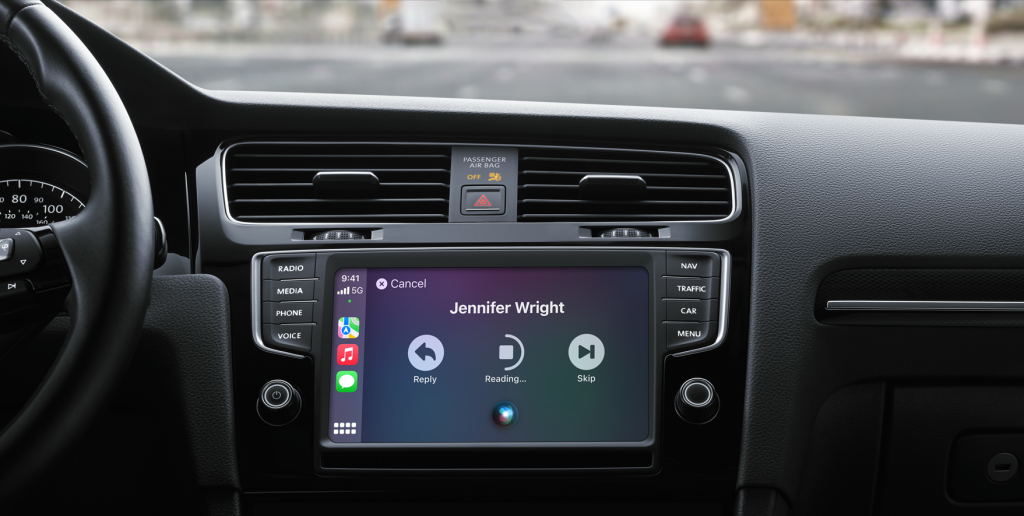
Messages Reading and writing is now listening and dictating.
You can send audio messages with Siri on iOS and CarPlay, so you never have to look at your phone while driving.And you can have Siri announce your incoming messages,then simply speak to reply.You can also ask Siri to share your ETA with someone from your contacts list while navigating with Apple Maps , to help keep everyone who need to know in the know.
All your music&video arranged.
Access all your content from your Apple Music subscription and additional audio apps using your car’s built‑in controls. Search by artist, album, or song. See what’s playing and what’s up next. You can ask Siri to play your favorite song by Arcade Fire, act as your personal DJ, or stream one of more then 100,000 live radio stations.

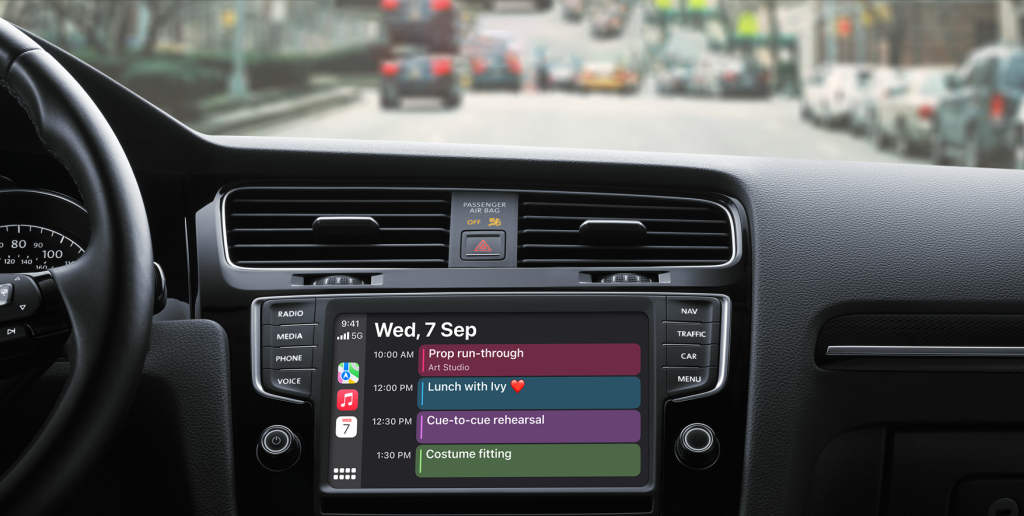
Calendar stay on top of your day when you’re on the road.
The Calendar app gives you a quick, simple view of the day ahead
while you’re on the go. And if you have a meeting, you can just tap to get directions or dial in, using your car’s speakers and microphones to keep
your hands on the wheel and eyes on the road.
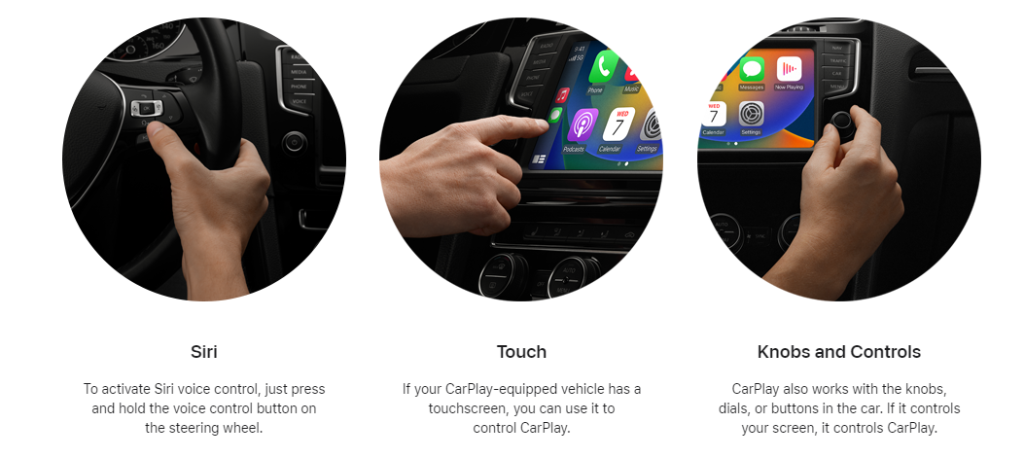
Control with a word or a touch or a twist.
CarPlay with Siri voice control is specially designed for driving scenarios. CarPlay also works with your car’s controls — knobs, buttons, touchpad, or touchscreen. And the apps themselves have been reimagined for the car, so you can use them while your eyes and hands stay where they belong.