EVO BMW F40 Carplay installation

Here we will see in pictures how to install Apple Carplay on a 2021 BMW 1 Series F40 with EVO system.

Required equipment: a T20 torx screwdriver.

Installation time: 30-40 minutes

Inventory: Carplay module and wiring.
So we count the module, a wifi antenna, 2 LVDS (video) cables, the power cable, the auxiliary cable, and a USB cable (no need to plug it in if we use the device wirelessly).

STEP 1: DISASSEMBLE THE SCREEN

We will start by unclipping the plastic cover.

Pull it down, there is no connector.

The original screen is maintained by 3 screws to remove.

Now you can take it out.

Unplug the LVDS (video jack) from the display.

STEP 2: DISASSEMBLE THE RADIO

Now we have to take out the ventilation grids, held in place by 6 screws.

We can finally see the BMW EVO car radio.

Let’s take out the cover that protects the car radio.

Just take it out.

It is maintained by several clips.

Pull down the car radio (also maintained by 2 screws).

STEP 3: CONNECTION

The connection is quite simple, the POWER connector is to be connected to the original Quadlock to make a By-pass.

The pink LVDS connector (circled on the picture) comes from the screen that we had previously disconnected.

Finally, connect the blue LVDS plug (video plug) of the Carplay box directly to the screen (instead of the original one – the pink one).

We can test the whole thing before putting it back together.

Finally, store the Carplay box under the ventilation or in the glove compartment.

STEP 4: TEST

Press and hold the MENU button for 3 seconds on your iDRIVE wheel.

The menu will appear, select what you want to use: Apple Carplay, Android Auto or Mirror Link.

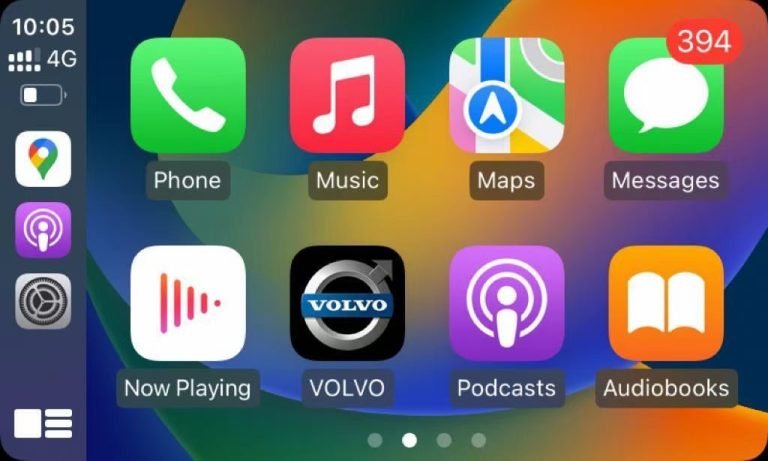
Here, we have chosen Apple Carplay on the BMW 1 Series F40.

Our module: Apple Carplay for BMW HERE

Similar Posts

  • BEST Carplay APPs

    More and more Apple Carplay users, it has become a real reference in the automotive world, as much as a rearview camera or the bluetooth function. And yes, not all applications are compatible with Apple Carplay because they must follow a very strict protocol to comply with legislation. Indeed, the applications must be able to…

  • 360° Surround View Monitoring System (SVMS)

    Technical Specifications: Installation Requirements: Compliance Standards: Note: System requires professional installation and calibration for optimal performance. Camera angles may vary by vehicle model. Software updates available via USB/OTA. Here are the key advantages of a 360° Surround View Monitoring System (SVMS) in technical and user-centric terms: 1. Enhanced Safety & Collision Prevention 2. Precision Parking…

  • Ireland Carplay

    Buying a car is no longer just about the engine and the number of seats. Infotainment is now every car buyer’s top concern. Apple CarPlay provides easy access to all of your phone’s features on the dashboard. Spotlight on Carplay features available in Ireland. CARPLAY INSTALLER OFFERED IN IRELAND If you’re from Ireland and you’re…

  • Waze on Carplay

    Waze, coming on the Carplay technology has proved to be effective because 91% of Carplay users have installed this application. Police alerts, accident, traffic jams, radars,… This application is actually complete because behind it, Google Maps manages, yes, the American giant is everywhere. Audi, BMW, Mercedes or even Porsche users with or without origin GPS…

  • Apple Carplay tips

    Apple Carplay is a boon for anyone who wants to use their phone apps from the comfort of the driver’s seat. With Apple Carplay, drivers can use apps like Google Maps, Waze, Spotify and WhatsApp on the car’s touchscreen. They can also ask Siri to read text messages aloud for them so they don’t have…