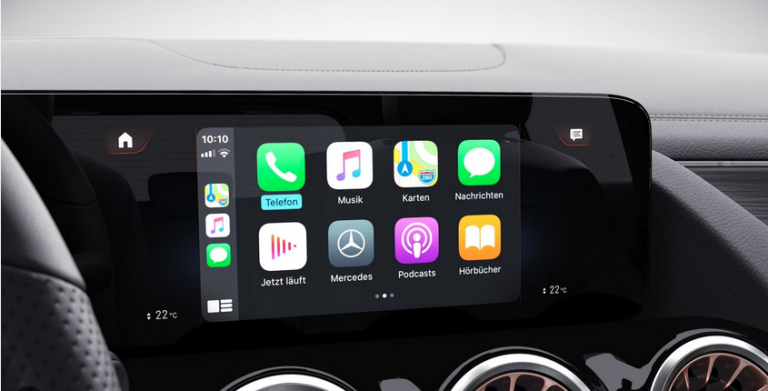
Without a doubt, Apple Carplay and Google’s Android Auto are the two main infotainment systems that come into our vehicles. They simply connect a smartphone directly to the system in the car. But is it possible to have Carplay on an Android car radio? That’s what we’ll see together. Let’s go!
CARPLAY ON AN ANDROID CAR RADIO
On an Android car radio, it seems that it is “impossible” to install CarPlay to take advantage of its various assets, especially when you have an iPhone. Fortunately, there is a solution. Simply plug a USB dongle into your radio. To do so, here are the steps to follow:
- Download CarPlay in APK version;
- Put the downloaded file on a USB key and install the app on the radio;
- Once the app is launched, plug the dongle on the radio;
- Connect the iPhone to the dongle with a USB cable (preferably an original or certified one);
- And that’s it!
This USB juggle is a “magic wand”! It allows you to install CarPlay on your Android car radio in a few minutes in order to benefit from all the advantages offered by this infotainment system. It’s a small, relatively inexpensive accessory that will undoubtedly put a smile on your face!
APPLE CARPLAY AND ANDROID AUTO, WHAT’S THE DIFFERENCE?
Apple CarPlay is easy to use. Installing it in your vehicle means saying goodbye to the bugs that may appear on some infotainment systems. Icing on the cake, the Apple gives you access to a voice command button that allows you to use Siri, making it even easier to use. Note that only applications approved by the American firm are compatible with CarPlay.
Of course, Android Auto offers us a multitude of advantages, but bugs are more and more numerous. In addition, the system offers many messaging applications that could distract the driver, such as WhatsApp, Skype, Telegram, etc.. This is why many people are turning to CarPlay.